Organizations, Teams & Roles
Share OAgents, credits, and connected accounts with your team. Organizations give you shared billing, role-based access, and fine-grained per-OAgent grants.
Overview
By default every account is a personal workspace: the OAgents, skills, connected accounts, and credits you create belong to you alone. An organization is a shared workspace. Anything owned by the org is visible to its members according to their role, billing is drawn from one shared credit balance, and you manage who can do what from a single members list.
You can belong to your personal workspace and any number of organizations at the same time. The workspace switcher in the header lets you move between them. Whatever workspace is active scopes every list you see: switch to an org and the OAgents, runs, and gateways you see are the org's, not your personal ones.
Personal vs. Organization Workspace
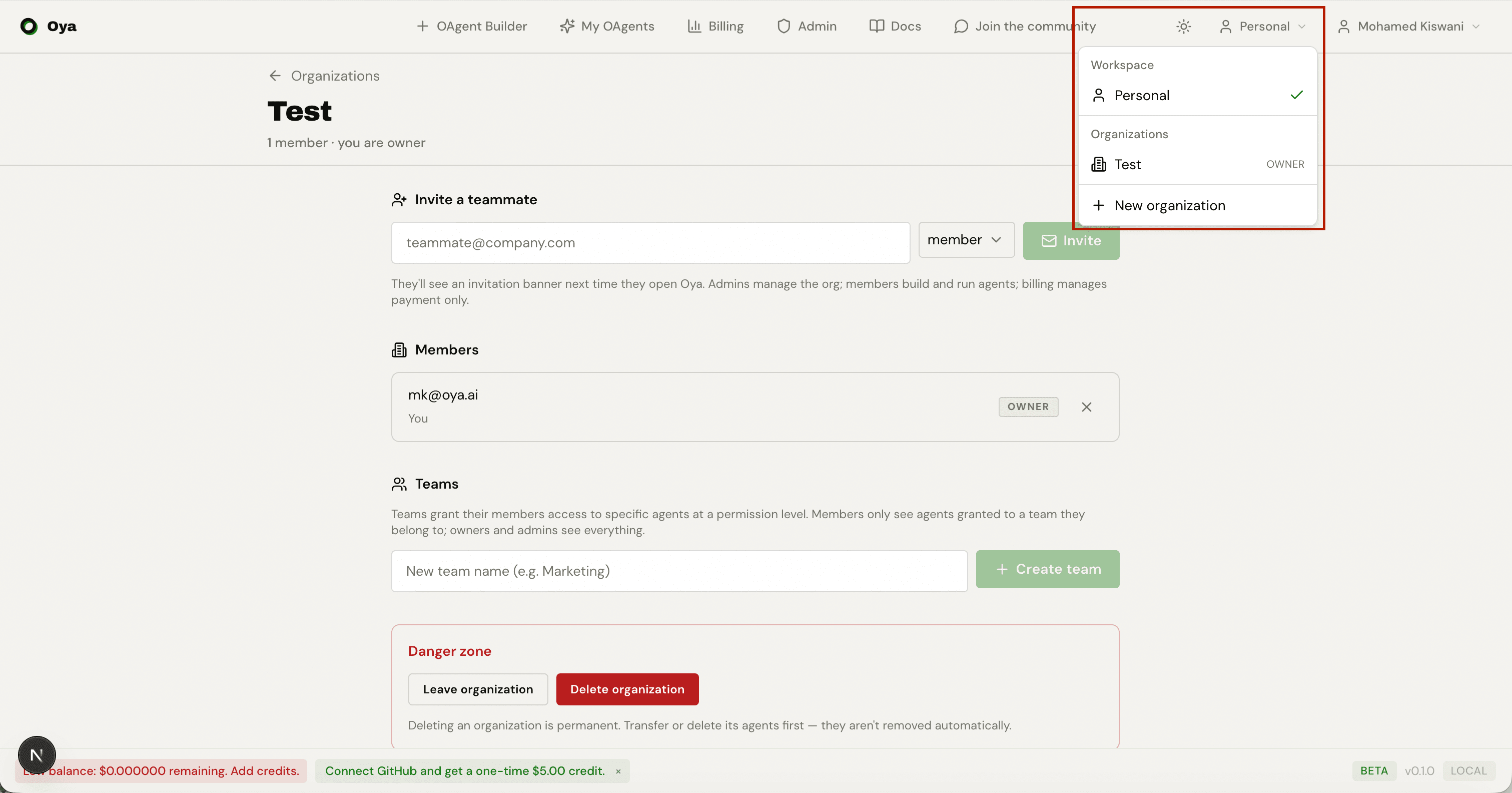
The switcher appears in the header once you belong to at least one organization. Selecting a workspace sets the target account for every subsequent request, so lists refetch and rescope immediately. Your role in each org is shown next to its name.
- Personal: Your private workspace. Only you can see its OAgents and credits. You always act as an implicit owner here.
- Organization: A shared workspace. Members see and act on its OAgents according to their role and any team grants. Billing comes from the org’s shared credit balance.
Creating an Organization
Create an organization from the workspace switcher (New organization) or the Organizations page. You give it a display name; a URL-friendly slug is generated for you and made unique automatically. The creator becomes the org's sole owner.
Transferring personal credits at creation
At creation time you can opt to move your entire personal credit balance into the new org. This is done atomically in the same transaction, with matching ledger entries on both sides, so credits are never lost or duplicated. It is all-or-nothing: your whole personal balance moves, or none of it. If you leave the option off, the org starts with a zero balance and you top it up separately.
# Create an organization (optionally sweeping your personal balance into it)
POST /api/orgs
{
  "display_name": "Acme Inc",
  "slug": "acme",                    // optional; auto-generated + de-duped if omitted
  "transfer_personal_credits": false  // true = move your whole personal balance in
}

GET    /api/orgs              # organizations you belong to (drives the switcher)
GET    /api/orgs/{org_id}     # one org (members-only)
PATCH  /api/orgs/{org_id}     # rename / re-slug / avatar (admin+)
DELETE /api/orgs/{org_id}     # delete the org (owner only)
Members & Roles
Every member of an organization holds exactly one org-level role:
- owner: Full control. Can grant or revoke the owner role, delete the org, and do everything an admin can. An org must always keep at least one owner.
- admin: Manages members, teams, invitations, and resources. Has admin permission on every OAgent in the org. Cannot grant or revoke the owner role.
- member: A regular teammate. Sees and works with org OAgents according to the teams they belong to and the grants those teams hold.
- billing: A payment-only role. Read-only (audit) access to resources; it manages payment, not OAgents. This role cannot own or receive OAgents.
Inviting teammates
Admins and owners invite people by email at a chosen role. Admins may invite at admin, member, or billing; only an owner can invite someone at the owner role. The invitee receives an in-app banner and accepts or declines. Invitations can be sent to an email that has not signed up yet: they resolve once that person creates an account with the matching email. There is one pending invitation per email per org, and stale invitations auto-expire.
# Members (org side)
GET    /api/orgs/{org_id}/members
PATCH  /api/orgs/{org_id}/members/{user_id}    # change a member's role (admin+; owner-role changes = owner only)
DELETE /api/orgs/{org_id}/members/{user_id}    # remove a member, or leave the org yourself

# Invitations (org side, admin+)
POST   /api/orgs/{org_id}/invitations          # invite by email + role
GET    /api/orgs/{org_id}/invitations
DELETE /api/orgs/{org_id}/invitations/{id}     # cancel a pending invite

# Invitations (invitee side)
GET    /api/me/org-invitations                 # your pending invites (drives the banner)
POST   /api/me/org-invitations/{id}/accept
POST /api/me/org-invitations/{id}/declineTeams
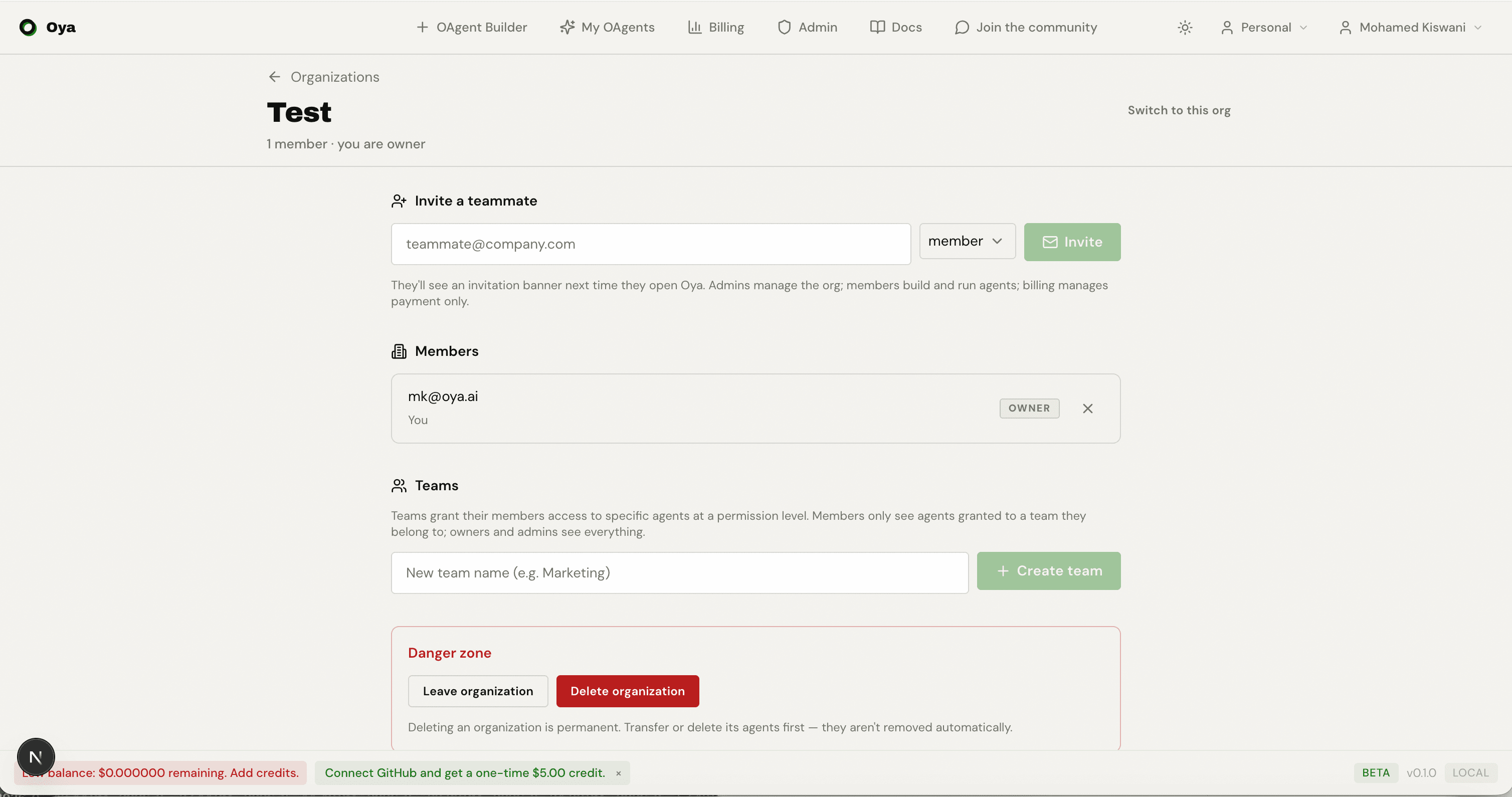
Teams are sub-groups inside an organization. A team gathers members together and holds resource grants that pin specific OAgents to that team at a chosen permission level. This is how you give a group of people access to some org OAgents but not others.
Team roles
Within a team a member holds one of two team-level roles:
- maintainer: Can manage the team’s membership and grants (in addition to org admins/owners, who can manage any team).
- member: Belongs to the team and inherits its grants, but does not manage the team.
A user must already be a member of the organization before they can be added to one of its teams. Org admins and owners can manage any team; a team's own maintainers can manage that specific team.
Per-OAgent grants
A grant ties a team to a specific resource at one permission level. Grants are idempotent per (team, resource): re-issuing a grant for the same OAgent updates its permission level. The three permission levels are:
- read: View the OAgent and its activity, but not change it.
- write: Use and configure the OAgent (the default level for a plain member on org resources).
- admin: Full control of the OAgent, equivalent to what org admins hold over everything.
Grants are defined over resource kinds. OAgents are the kind enforced end-to-end today; the grant model also names knowledge bases and skills for future use. Grants only apply to resources the org actually owns: you can only grant an OAgent whose owner is the org.
# Teams
POST   /api/orgs/{org_id}/teams                              # create a team (admin+)
GET    /api/orgs/{org_id}/teams
GET    /api/orgs/{org_id}/teams/{team_id}                    # team + members + grants
PATCH  /api/orgs/{org_id}/teams/{team_id}                    # rename / describe (maintainer or admin+)
DELETE /api/orgs/{org_id}/teams/{team_id}                    # admin+

# Team membership
PUT    /api/orgs/{org_id}/teams/{team_id}/members/{user_id}  # add / set team role: maintainer | member
DELETE /api/orgs/{org_id}/teams/{team_id}/members/{user_id}  # remove, or leave the team yourself

# Per-OAgent grants
PUT    /api/orgs/{org_id}/teams/{team_id}/grants             # { resource_kind, resource_id, permission: read|write|admin }
DELETE /api/orgs/{org_id}/teams/{team_id}/grants/{grant_id}
GET    /api/orgs/{org_id}/resources?kind=agent               # org OAgents, for the grant picker (admin+)
What Each Role Can Do
Access to a specific OAgent resolves to one effective permission: none, read, write, or admin. It is computed from the caller's org role first, then team grants:
- owner and admin: admin on every OAgent in the org. They bypass team grants entirely (GitHub-style: org admins see and control everything).
- billing: read only, for audit. This role never gets write or admin, and cannot own or receive OAgents.
- member: inherits the highest permission granted to any team they belong to for that OAgent. A member on a team granted write gets write; on a team granted admin, admin.
- A member who created an OAgent keeps admin on it, even before an admin grants it to any team, so you never lose access to something you built.
- A user with no org role for a resource’s org gets none (no access).
Moving an OAgent into an Organization
You can move one of your personal OAgents into an organization you belong to. The OAgent, along with its private skills, knowledge base, and connected accounts, becomes owned by the org, so it shares the org's resources and billing. You remain its creator and keep access. Because it is your own OAgent moving into your own org, there is no acceptance step.
To move an OAgent you must personally own it, be a member of the target org, and hold a role that can own resources. The billing role is read-only and cannot receive OAgents.
# Move one of YOUR personal OAgents into an org you belong to (no acceptance step)
POST /api/agents/{agent_id}/move-to-org
{ "org_id": "..." }

# Hand an OAgent to another person by email (they must accept)
POST /api/agents/{agent_id}/transfer
{ "email": "[email protected]" }