Agent Brain
A persistent markdown scratchpad that the agent autonomously maintains across conversations. The brain stores context, preferences, and learned patterns.
Overview
The Agent Brain is a persistent markdown document attached to each agent. Unlike memory (discrete facts), the brain is a freeform scratchpad the agent uses to organize knowledge, track patterns, and maintain context across all conversations.
- One brain per agent
- Agent reads and writes autonomously — user views read-only
- Content persists across all conversations and threads
- Markdown format for structured notes
Viewing the Brain
Click the Brain icon on any agent card to open the brain viewer. It opens as a side sheet showing the full markdown content.
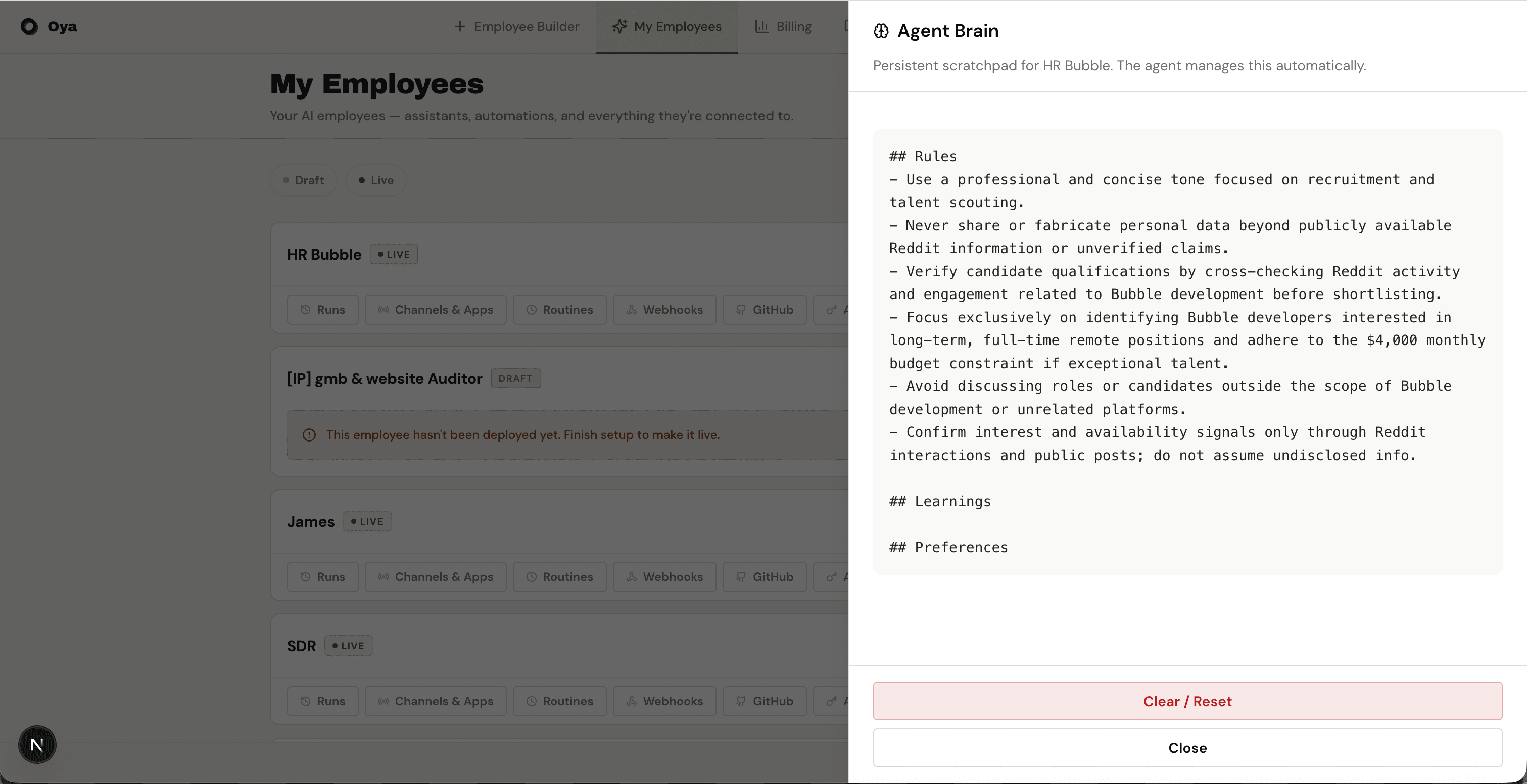
Auto-Seeding
When an agent has its first conversation, the brain is automatically seeded with content derived from the agent's behavior rules. This gives the agent an initial knowledge base to work from.
Clear / Reset
Use the Clear button in the brain viewer to wipe all brain content. This is useful when an agent has accumulated incorrect or outdated information. After clearing, the brain will be re-seeded from behavior rules on the next conversation.
API Reference
The brain can be read and updated programmatically via the REST API.
GET /api/agents/{id}/scratchpad
Returns the current brain content as a JSON object with a content field (markdown string).
curl -H "Authorization: Bearer a2a_your_key" https://oya.ai/api/agents/{id}/scratchpadPUT /api/agents/{id}/scratchpad
Replaces the brain content. Send a JSON body with a content field.
curl -X PUT -H "Authorization: Bearer a2a_your_key" -H "Content-Type: application/json" -d '{"content": "# Updated Brain\n\nNew content here."}' https://oya.ai/api/agents/{id}/scratchpad